Get up to 20% Discount on Bulk Orders.
Contact Us For More Info
Can't find the right version? Call us! We will help you choose:
(870) 232-6314
Find the Right QuickBooks Desktop for Your Business
Running a business is hard enough without worrying about whether your books are right. That's where QuickBooks Desktop comes in — and that's where we come in. At Accountings Cart, we've helped hundreds of small business owners, bookkeepers, and accountants find the exact version of QuickBooks they need, without the guesswork.
Whether you're a freelancer keeping track of invoices, a growing company that needs inventory management, or an accountant handling books for multiple clients — there's a QuickBooks Desktop version built for the way you work.
Why QuickBooks Desktop?
A lot of folks ask us, "Why Desktop instead of Online?" Honestly, it depends on your situation. But here's what we hear from our customers all the time:
- It's faster. Everything runs on your computer, so there's no waiting on your internet connection to load reports or enter transactions.
- You own your data. Your company file lives on your machine. You're not dependent on a subscription to access your own books.
- More powerful features. Desktop gives you advanced reporting, job costing, inventory tracking, and tools that the online version still doesn't match.
- One-time purchase options. No monthly fees eating into your budget. Buy it once and use it.
Not Sure Which Version You Need?
We get it — QuickBooks Pro, Premier, Enterprise, Mac… it can feel like a lot. Here's a quick breakdown:
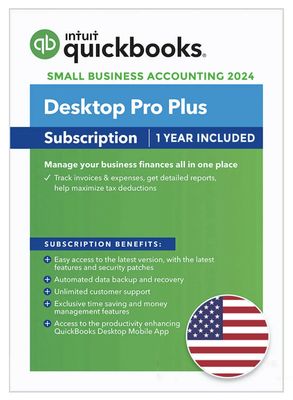
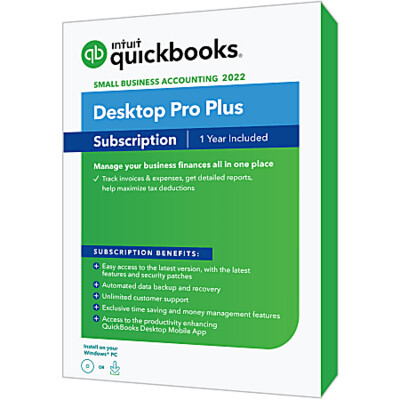
- QuickBooks Pro — Perfect if you're a small business that needs solid bookkeeping, invoicing, and basic reporting. Handles up to 3 users.
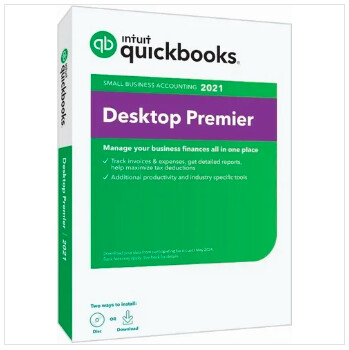
- QuickBooks Premier — Everything in Pro, plus industry-specific reports for contractors, nonprofits, retail, and more. Up to 5 users.
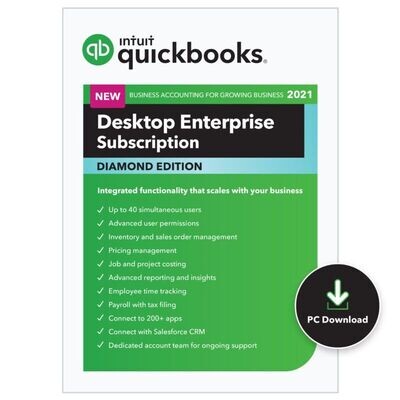
- QuickBooks Enterprise — Built for larger businesses. Advanced inventory, pricing rules, up to 40 users, and way more horsepower under the hood.
- QuickBooks for Mac — All the Desktop goodness, designed specifically for Mac users.
Can't find the right version? Call us! We will help you choose:
(870) 232-6314
or email info@accountingscart.com
Why Buy From Accountings Cart?
We're not some faceless mega-store. We're an authorized Intuit reseller who actually knows these products inside and out. When you buy from us, you get:
- Genuine, licensed QuickBooks products
- Real support from people who use QuickBooks every day
- Honest advice — we'll tell you if you don't need the expensive version
- Fast delivery so you can get back to running your business
Browse our QuickBooks Desktop products below and find the right fit. And if you have any questions at all, don't hesitate to reach out. We're happy to help.
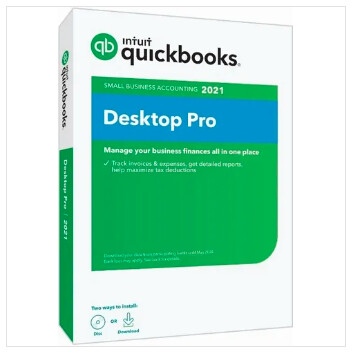
QuickBooks Pro 2021-Non Subscription Version

This is a Full Retail License, without subscription. This is for Windows operating systems. Comes as a digital download.
Intuit QuickBooks Desktop Pro, the #1 small business accounting software, enables businesses to quickly and efficiently know where their business stands. Complete everyday tasks faster with simplified customer forms. Keep customer, vendor and employee contact information at your fingertips. Get easier access to data and transactions with simplified navigation.
There's a reason QuickBooks Pro has been the go-to accounting software for small businesses for over 20 years. It does exactly what most business owners need — tracking income, managing expenses, sending invoices, and keeping the books straight — without burying you in features you'll never touch.
QuickBooks Pro 2021 is the non-subscription version. That means you buy it once and it's yours. No monthly fees sneaking onto your credit card. No annual renewals. No losing access to your own data because you forgot to renew. Just reliable desktop accounting software that sits on your computer and works when you need it.
QuickBooks Pro 2021 — Non-Subscription Version
There's a reason QuickBooks Pro has been the go-to accounting software for small businesses for over 20 years. It does exactly what most business owners need — tracking income, managing expenses, sending invoices, and keeping the books straight — without burying you in features you'll never touch.
QuickBooks Pro 2021 is the non-subscription version. That means you buy it once and it's yours. No monthly fees sneaking onto your credit card. No annual renewals. No losing access to your own data because you forgot to renew. Just reliable desktop accounting software that sits on your computer and works when you need it.
Who Uses QuickBooks Pro 2021?
Honestly? Just about every type of small business you can think of. We've sold this version to landscapers, plumbers, freelance designers, real estate agents, small law firms, restaurants, tutors, consultants, cleaning companies, and everything in between. If you run a business and need to keep track of where the money is going, QuickBooks Pro handles it.
It's also a favorite among bookkeepers and accountants who manage the books for small business clients. It's straightforward enough that most people can learn it quickly, but powerful enough to handle real business accounting — not just income and expenses in a spreadsheet.
QuickBooks Pro 2021 Features — Everything You Get
Invoicing That Gets You Paid Faster
Creating invoices in QuickBooks Pro takes about 30 seconds once you've set it up. Pick the customer, add the line items, and send it off by email — right from inside the software. You can customize your invoices with your business logo, company colors, and payment terms so they look professional every time.
- Create and send professional invoices by email in seconds
- Set up recurring invoices for repeat clients — bill them automatically every week, month, or whatever schedule works
- Track which invoices are paid, unpaid, or overdue from one screen
- Add your logo, custom colors, and payment terms to every invoice
- Create estimates and convert them to invoices with one click when the job is approved
- Accept credit card and bank transfer payments so customers can pay you faster
Expense Tracking That Actually Works
If you're still saving receipts in a shoebox or tracking expenses in a spreadsheet, you're making life harder than it needs to be. QuickBooks Pro connects to your bank accounts and credit cards and pulls in your transactions automatically. All you have to do is review them and put them in the right category.
- Connect bank accounts and credit cards for automatic transaction downloads
- Categorize expenses in a few clicks — utilities, office supplies, fuel, advertising, whatever applies
- Attach receipts and documents directly to transactions so everything is in one place
- Track expenses by customer or job so you know exactly what each project is costing you
- Split transactions across multiple categories when one purchase covers different expense types
Bank Feeds and Reconciliation
Gone are the days of manually typing in every transaction from your bank statement. QuickBooks Pro 2021 connects directly to thousands of banks and financial institutions. Your transactions show up in QuickBooks automatically — you just match them to what's already in your books and you're done.
- Automatic bank feeds from major banks and credit unions
- Match downloaded transactions to existing entries in seconds
- Bank reconciliation tools to make sure your books match your bank statements to the penny
- Download credit card transactions the same way — no more manual entry
Reports That Show You Where Your Business Stands
Running a business without good reports is like driving with your eyes closed. QuickBooks Pro gives you over 100 built-in reports that show you exactly what's happening with your money. And you don't need to be an accountant to read them — they're laid out in plain English.
- Profit & Loss (Income Statement) — How much you made, how much you spent, and what's left over. The report every business owner should look at regularly.
- Balance Sheet — A snapshot of what your business owns, what it owes, and your equity. Banks love this one.
- Cash Flow Statement — Where your cash is coming from and where it's going. Helps you see if you'll have enough to cover next month's bills.
- Accounts Receivable Aging — See who owes you money and how long they've owed it. Great for following up on late payments.
- Accounts Payable Aging — See what you owe to vendors and when it's due so nothing catches you off guard.
- Sales reports — Break down your sales by customer, product, rep, or time period. See what's selling and what's not.
- Tax summary reports — Pull together what you need for tax filing without digging through months of transactions.
- Customize any report — filter by date, customer, account, class, or whatever you need to see
- Export reports to Excel or PDF for sharing with your accountant, partner, or bank
Bill Management and Vendor Tracking
Keeping track of what you owe to vendors, suppliers, and service providers can get messy fast — especially when payment terms vary. QuickBooks Pro keeps all of it organized so you always know what's due and when.
- Enter and track bills from vendors and suppliers
- Schedule bill payments so you never miss a due date
- Pay multiple bills at once to save time
- Track vendor balances and payment history
- Print checks directly from QuickBooks or use online bill pay
- Track 1099 vendor payments for year-end tax reporting
Inventory Tracking
If you sell physical products, QuickBooks Pro 2021 tracks your inventory so you know what's in stock, what's running low, and what your cost of goods sold looks like. It's not as advanced as what you get in Premier or Enterprise, but for most small businesses, it does the job well.
- Track inventory quantities and values in real time
- Set reorder points so you know when stock is getting low
- Automatically update inventory counts when you make a sale or receive a purchase order
- Run inventory valuation reports to see what you have on hand and what it's worth
- Track cost of goods sold for accurate profit reporting
Multi-User Access — Up to 3 Users
QuickBooks Pro 2021 supports up to 3 users working in the same company file at the same time over your local network. That means your bookkeeper can enter bills while you're creating invoices and your office manager is running payroll — no waiting, no file conflicts.
- Up to 3 simultaneous users on the same company file
- Set user permissions so each person only sees what they need to see
- Restrict access to sensitive areas like payroll, banking, or vendor information
- Works over your local network — no internet connection required
Payroll — Ready When You Are
QuickBooks Pro 2021 is payroll-ready right out of the box. When you're ready to bring payroll in-house instead of paying a separate service, you can add it and handle everything from one place:
- Calculate paychecks with federal and state tax withholdings
- Print paychecks or set up direct deposit
- Track employee hours, vacation time, and sick leave
- Prepare and file payroll tax forms
- Generate W-2s at year-end
Tax Time Made Easier
Nobody looks forward to tax season, but QuickBooks Pro takes a lot of the pain out of it. When your books are up to date throughout the year, pulling together what you need for your tax return takes minutes instead of days.
- Organize income and expenses into tax categories automatically
- Run tax summary and tax detail reports with one click
- Track deductible expenses throughout the year so nothing gets missed
- Export data to your accountant or tax preparer in seconds
- Track and print 1099s for contractors and freelancers you've paid
- Compatible with TurboTax for easy data transfer at filing time
Additional Features
- Sales receipts and credit memos — Handle point-of-sale transactions and process returns or credits cleanly.
- Purchase orders — Create and send purchase orders to vendors. Track what you've ordered and what's been received.
- Journal entries — Make manual adjustments to your books when needed. Your accountant will appreciate this one.
- Multiple company files — Run more than one business? Create separate company files for each one and switch between them.
- Data backup and restore — Back up your company file to a local drive or external device. Restore it anytime if something goes wrong.
- Audit trail — Every change made in QuickBooks is logged. You can always see who changed what and when. Great for accountability.
- Memorized transactions — Set up recurring transactions like monthly rent, loan payments, or regular invoices. QuickBooks enters them for you automatically.
- Customer and vendor centers — All your contact info, transaction history, balances, and notes in one organized place for each customer and vendor.
- Letter templates — Generate collection letters, thank you letters, and other customer correspondence right from QuickBooks.
QuickBooks Pro 2021 vs. QuickBooks Online — Which One Should You Pick?
We get asked this every day. Here's the honest answer — it depends on how you like to work. But here's why a lot of our customers choose Desktop Pro over Online:
- Speed — Desktop runs on your computer, not through a web browser. It's noticeably faster, especially for data entry and running reports.
- You own your data — Your company file lives on your machine. You're not depending on an internet connection or a subscription to access your own books.
- No monthly fees — This is a one-time purchase. Online charges you every single month, and the price keeps going up.
- More features at this level — Desktop Pro includes things like batch invoicing, memorized transactions, and more detailed inventory tracking that Online's comparable tier doesn't offer.
- Privacy — Your financial data stays on your local machine, not on someone else's server.
That said, if you need to access your books from multiple locations or on the go, QuickBooks Online might be a better fit. We wrote a full breakdown in our Desktop vs. Online comparison. But if you mostly work from one office and want the most bang for your buck, Desktop Pro is hard to beat.
System Requirements
- Operating System: Windows 10 or later (64-bit recommended)
- Processor: 2.4 GHz minimum
- RAM: 8 GB recommended (4 GB minimum)
- Disk Space: 2.5 GB plus additional space for data files
- Display: 1280 x 1024 screen resolution or higher
- Internet: Required for bank feeds, payroll, and product updates. Not required for basic operation.
Ready to get your books in order?
Questions before you buy? We're real people and we're happy to help.
Call us: (870) 232-6314
Email: info@accountingscart.com
Why Buy QuickBooks Pro 2021 From Accountings Cart?
There are a lot of places that sell QuickBooks online. Here's why our customers keep coming back to us:
- We're authorized. Accountings Cart is an official QuickBooks reseller. Every license we sell is genuine and fully authorized by Intuit.
- We're certified. We're QuickBooks Certified ProAdvisors, which means we don't just sell the software — we know it inside and out.
- We're honest. If Pro is more than you need, we'll say so. If you'd be better off with Premier or Enterprise, we'll tell you that too. We'd rather you buy the right product than the most expensive one.
- We answer the phone. Call us during business hours and a real person picks up. No phone trees, no bots, no hour-long hold times.
- Fast delivery. We know you're buying this because you need it. We get it to you quickly so you can get back to running your business.
At the end of the day, we're a small business helping other small businesses. We know what it's like to wear ten hats and still need the books done by Friday. That's why we do what we do.
WE’RE HERE TO HELP YOU
Talk to sales
Give us a call if you need help picking a QuickBooks product.
Call 1-870-600-4541
Mon-Fri, 5 AM to 6 PM PT
After we help you discover what you want, we'll work together to find the very best way of achieving it.