QuickBooks Online
Run your books from anywhere — your laptop, your phone, or your tablet. QuickBooks Online gives you real-time access to your invoicing, expenses, reports, and bank connections without installing a thing. Pick the plan that fits your business and try it free for 30 days.
QuickBooks Online — Cloud Accounting That Runs Your Business From Anywhere
Not every business needs software installed on a computer. Some businesses need to check their numbers from a phone at a job site. Some need their bookkeeper in another state to log in without remote desktop headaches. Some just want to open a browser, get their invoicing and expenses done, and move on with their day.
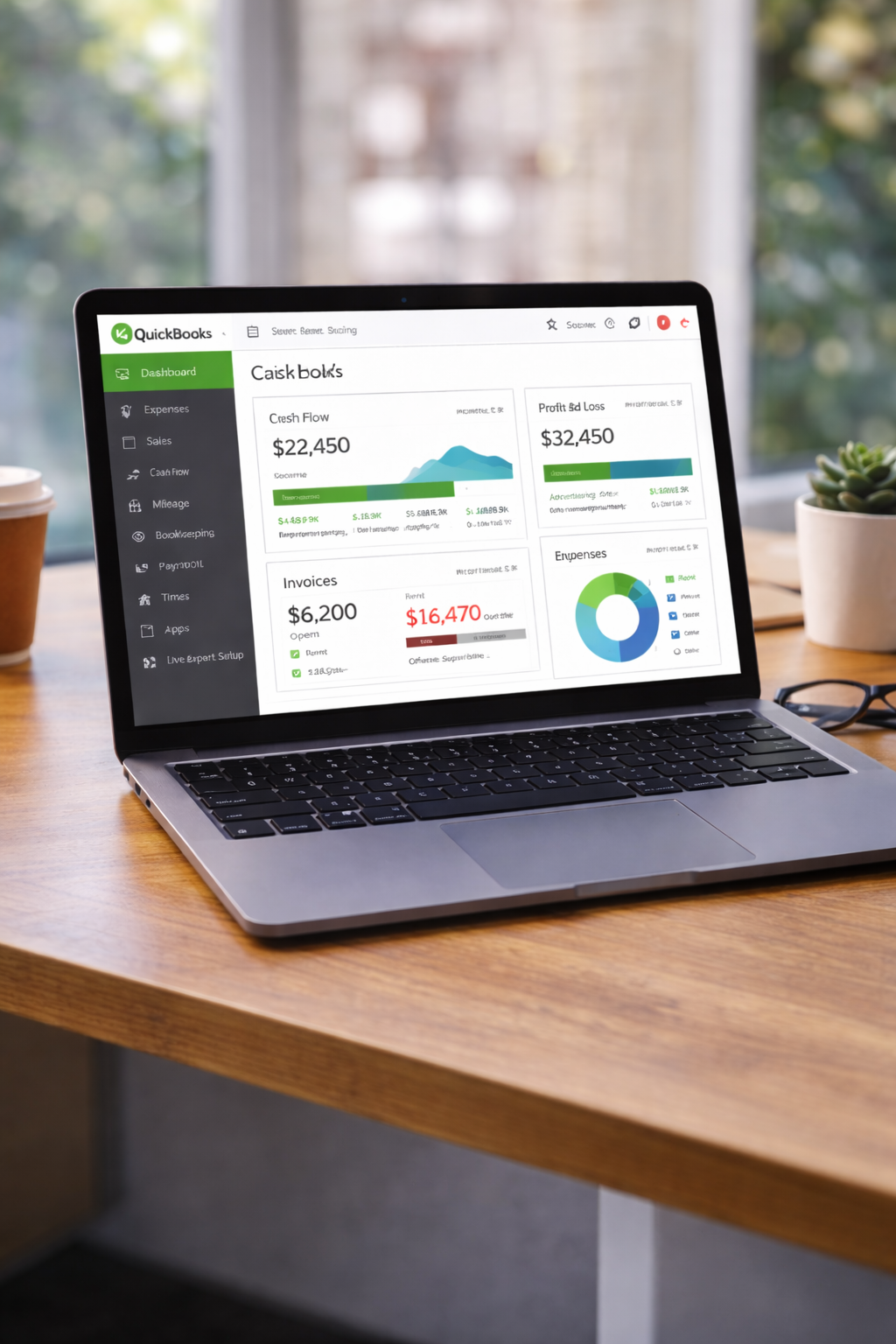
That's what QuickBooks Online is built for. It's the cloud version of the same accounting software that millions of businesses already trust — but instead of installing it on one machine, you access it from any device with an internet connection. Your laptop at the office, your tablet at home, your phone while you're waiting for a client. Your books are always there, always up to date, always backed up automatically.
Intuit offers several QuickBooks Online plans depending on the size of your business, how many people need access, and what features you actually need. We'll walk you through every single one so you know exactly what you're getting — no surprises, no guesswork.
How QuickBooks Online Works
If you've only used desktop software before, here's the short version of how QuickBooks Online is different:
There's nothing to install. You don't download a setup file, you don't need a license key, and you don't need to worry about which version of Windows you're running. You go to QuickBooks Online, log in with your email and password, and you're looking at your books. That's it.
Everything runs in your web browser — Chrome, Edge, Safari, Firefox, whatever you normally use. Your data lives on Intuit's servers, which means it's automatically backed up, automatically protected, and automatically available from any device you log in from. You'll never lose your company file because a hard drive died. You'll never have to email a backup to your accountant. They just log in.
Updates happen automatically too — Intuit rolls out new features and improvements throughout the year, and you get them the moment they're available. No downloading patches, no running installers. You just open QuickBooks one day and there's a new feature waiting for you.
QuickBooks Online Plans and Pricing
Intuit offers five QuickBooks Online plans — one designed specifically for solopreneurs, and four for small businesses with varying needs. Every plan comes with a free 30-day trial so you can test it out before you commit a single dollar. Here's what each plan includes and who it's best for.
| Most Popular
|
||||
| Solopreneur | Simple Start | Essentials | Plus | Advanced |
| For one-person businesses | For new small businesses | For growing businesses | For product & project businesses | For bigger operations |
| Call Us | $26 | $52.50 | $80.50 | $192.50 |
| for pricing | per month | per month | per month | per month |
| 1 User | 1 User | 3 Users | 5 Users | 25 Users |
| ✓ Expense tracking | ✓ Income & expenses | ✓ Income & expenses | ✓ Income & expenses | ✓ Income & expenses |
| ✓ Invoicing | ✓ Invoicing | ✓ Invoicing | ✓ Invoicing | ✓ Invoicing |
| ✓ Tax deductions | ✓ Tax deductions | ✓ Tax deductions | ✓ Tax deductions | ✓ Tax deductions |
| ✓ Receipt capture | ✓ Receipt capture | ✓ Receipt capture | ✓ Receipt capture | ✓ Receipt capture |
| ✓ Mileage tracking | ✓ Mileage tracking | ✓ Mileage tracking | ✓ Mileage tracking | ✓ Mileage tracking |
| ✓ Mobile app | ✓ Sales tax | ✓ Sales tax | ✓ Sales tax | ✓ Sales tax |
| ✓ TurboTax integration | ✓ Estimates | ✓ Estimates | ✓ Estimates | ✓ Estimates |
| ✓ Profitability tracking | ✓ 1099 tracking | ✓ 1099 tracking | ✓ 1099 tracking | ✓ 1099 tracking |
| — | ✓ Bill management | ✓ Bill management | ✓ Bill management | ✓ Bill management |
| — | — | ✓ Multi-user access | ✓ Multi-user access | ✓ Multi-user access |
| — | — | ✓ Time tracking | ✓ Time tracking | ✓ Time tracking |
| — | — | ✓ Multi-currency | ✓ Multi-currency | ✓ Multi-currency |
| — | — | — | ✓ Inventory tracking | ✓ Inventory tracking |
| — | — | — | ✓ Project profitability | ✓ Project profitability |
| — | ✓ 1 sales channel | ✓ 1 sales channel | ✓ All sales channels | ✓ All sales channels |
| — | — | — | — | ✓ Batch invoicing |
| — | — | — | — | ✓ Custom dashboards |
| — | — | — | — | ✓ Workflow automation |
| — | — | — | — | ✓ Priority support |
| Try Free 30 Days | Try Free 30 Days | Try Free 30 Days | Try Free 30 Days | Try Free 30 Days |
| Best for freelancers & contractors | Best for small businesses just getting started | Best for small teams & hourly billing | Best for inventory & project businesses | Best for larger teams & complex operations |
All plans include a free 30-day trial — no credit card required to start. Not sure which plan fits? Call us at (870) 232-6314 and we'll help you pick the right one.
What's Inside Each Plan — The Full Details
The columns above give you the quick version. If you want to know exactly what each plan does and who it's really built for, here's the full breakdown.
Solopreneur
If it's just you — no employees, no partners, just you running your own thing — this plan was made for you. It strips away the features you don't need and focuses on the stuff that actually matters when you're a one-person operation: tracking what you earn, tracking what you spend, finding every tax deduction you're entitled to, and getting paid by your clients.
A lot of freelancers and contractors start by tracking everything in spreadsheets or shoeboxes full of receipts. That works until it doesn't — and it usually stops working right around tax season when you're scrambling to figure out what was a business expense and what wasn't. This plan fixes that by organizing everything automatically as you go.
- Tax deduction tracking — QuickBooks automatically separates personal and business expenses and flags deductible items so you're not leaving money on the table at tax time
- Receipt capture — Snap a photo of a receipt with your phone. QuickBooks reads it, matches it to a transaction, and files it away. No more paper piles
- Automatic mileage tracking — Uses your phone's GPS to log business miles while you drive. At year-end, your mileage deduction is already calculated
- Expense categorization — Connect your bank account and credit cards. Transactions download automatically and QuickBooks sorts them into the right categories
- Invoicing — Send professional invoices to clients and let them pay you by credit card or bank transfer right from the invoice
- Payment acceptance — Get paid faster with online payments built right into your invoices
- Profitability tracking — See how much you're actually making after expenses, not just how much revenue is coming in
- TurboTax integration — When tax season rolls around, your QuickBooks data flows right into TurboTax. Expert tax prep help is included
- Mobile app — Manage everything from your phone. Send invoices, snap receipts, check your numbers — wherever you are
Best for: Freelancers, independent contractors, gig workers, consultants, and anyone running a one-person business who needs to keep clean books without the complexity of a full accounting system.
Simple Start — $26/month
Simple Start is where most small businesses begin with QuickBooks Online. It gives you everything you need to track your income and expenses, send invoices, connect your bank accounts, and stay on top of your taxes — without overwhelming you with features designed for bigger companies.
The name says it all. If you're a small operation — maybe it's just you, or you and one other person handling the books — and you need a clean, straightforward way to manage your business finances, this plan does the job and doesn't charge you for a bunch of extras you'll never touch.
- Income and expense tracking — Connect your bank accounts and credit cards. Transactions download automatically so you always know where your money is going
- Bookkeeping automation — QuickBooks learns how you categorize transactions and starts doing it for you. Less manual work, fewer mistakes
- Professional invoicing — Create, customize, and send invoices by email. Track which ones are paid, which are outstanding, and which are overdue
- Tax deduction tracking — Automatically identifies and categorizes deductible expenses throughout the year so you're ready when tax season hits
- Receipt capture — Photograph receipts with your phone and QuickBooks matches them to transactions automatically
- Mileage tracking — Automatic GPS-based mileage logging on your phone for business driving deductions
- Cash flow management — See where cash is coming from, where it's going, and plan ahead so you don't run short
- Sales tax tracking — QuickBooks calculates sales tax on invoices and tracks what you owe so there are no surprises at filing time
- Estimates — Send quotes and estimates to clients, then convert them to invoices with one click when the job is approved
- 1099 contractor payments — Track payments to contractors and freelancers and generate 1099s at year-end
- 1 sales channel connection — Connect one e-commerce platform (like Shopify or Etsy) so online sales sync directly into your books
- Bill management — Enter and track bills from vendors so you always know what's due and when
Best for: Small businesses and startups that need solid bookkeeping and invoicing without multi-user access or advanced features. Perfect if you're the only one managing the finances.
Essentials — $52.50/month (3 Users)
Once your business grows past the point where one person handles everything, you need a plan that lets your team in. Essentials gives you up to 3 users, so your bookkeeper, your office manager, or your business partner can all log in and work without stepping on each other's toes.
It also adds features that start mattering when your business gets more complex — like managing bills from multiple vendors, tracking time for hourly employees or billable projects, and running reports with more detail so you can actually see what's driving your numbers.
Everything in Simple Start, plus:
- 3 users — You, your bookkeeper, and one more team member can all access QuickBooks at the same time from anywhere
- Enhanced reports — More detailed financial reports that give you a clearer picture of profitability, spending patterns, and business performance
- Multi-currency support — If you have clients or vendors in other countries, QuickBooks handles the currency conversions and tracks foreign transactions properly
- Time tracking — Employees or contractors can log hours directly in QuickBooks. Those hours can flow right into invoices or payroll — no double-entry, no timesheets floating around on paper
Best for: Small businesses with a small team that needs shared access to the books. Great for service businesses that bill by the hour, businesses with international clients or vendors, and companies that need their bookkeeper to have their own login.
Plus — $80.50/month (5 Users) — Most Popular
This is the plan most growing businesses end up on, and for good reason. It has everything in Essentials, but it adds the tools you need once your business starts dealing with inventory, projects, or tracking profitability across different parts of your operation.
If you sell physical products and need to track what's in stock, or if you run projects and need to know which ones are making money and which ones are eating into your margins — this is the plan that gives you those answers. It also bumps you up to 5 users, so there's room for your team to grow.
Everything in Essentials, plus:
- 5 users — Enough room for you, your bookkeeper, your accountant, and a couple of team members to all work in the system
- Comprehensive reports — Every financial and management report QuickBooks offers. Dig into your numbers from every angle — by customer, by product, by location, by class
- All sales channel connections — Connect Shopify, Amazon, Etsy, eBay, and other platforms so all your sales data flows into one set of books automatically
- Inventory tracking — Track what's in stock, what's been sold, cost of goods sold, and get alerts when items are running low. QuickBooks adjusts your inventory counts automatically with every sale and purchase
- Project profitability — Assign income and expenses to specific projects or jobs. See exactly which projects are profitable and which ones are costing you money
- Financial planning — Budgeting and forecasting tools that help you plan ahead based on your actual numbers, not guesses
- Class and location tracking — Tag transactions by department, location, property, or any custom category. Essential if you run multiple locations or want to track performance by division
Best for: Product-based businesses that need inventory tracking, project-based businesses that need job costing, companies selling on multiple e-commerce platforms, and businesses with 3–5 people who need access to the books.
Advanced — $192.50/month (25 Users)
Advanced is for businesses that have outgrown the basics. You've got a bigger team, more complex operations, and you need your accounting software to keep up. This plan gives you everything in Plus, but with the serious tools that larger or more complex businesses need to run without things falling through the cracks.
With 25 users, custom roles and permissions, workflow automation, and dedicated support from Intuit, this plan is built for businesses that are serious about scaling. It also includes tools like batch invoicing, Excel data sync, and fixed asset tracking that save real time when you're dealing with volume.
Everything in Plus, plus:
- 25 users — Your whole accounting team, department heads, managers, and external accountants can all have their own access with the right permissions
- Custom access controls — Define exactly what each user can see and do. Your warehouse manager doesn't need to see payroll. Your sales team doesn't need access to AP. Lock it down by role
- Customizable dashboards — Build the dashboards you actually want to look at. Drag, drop, and arrange your charts, reports, and key numbers so the stuff that matters to you is front and center
- Batch invoicing — Send dozens or hundreds of invoices at once. If you bill a large client base on a regular schedule, this feature alone saves hours every month
- Excel data sync — Sync your QuickBooks data with Microsoft Excel in real time. Build custom spreadsheets, pivot tables, and analyses that pull live data from your books
- Fixed asset tracking — Track your business equipment, vehicles, furniture, and other long-term assets. Monitor depreciation and keep your balance sheet accurate
- Workflow automation — Set up automated workflows that handle repetitive tasks. Automatic payment reminders, recurring invoices, approval processes — set them up once and let them run
- Revenue recognition — Recognize revenue properly across time periods for subscription businesses, long-term contracts, or any scenario where you earn money over time rather than all at once
- Data restoration — If something goes wrong — an accidental deletion, a bad import, a mistake that snowballed — Intuit can restore your data to a previous point in time
- Priority support — Skip the regular support queue. You get dedicated, priority access to Intuit's support team when you need help
Best for: Established small-to-mid-size businesses with larger teams, multiple departments, complex reporting needs, and the kind of transaction volume where automation and batch processing make a real difference.
Quick Comparison — Which Plan Has What?
| Feature | Solopreneur | Simple Start | Essentials | Plus | Advanced |
|---|---|---|---|---|---|
| Price/month | Contact us | $26 | $52.50 | $80.50 | $192.50 |
| Users | 1 | 1 | 3 | 5 | 25 |
| Income & Expense Tracking | ✓ | ✓ | ✓ | ✓ | ✓ |
| Invoicing | ✓ | ✓ | ✓ | ✓ | ✓ |
| Receipt Capture | ✓ | ✓ | ✓ | ✓ | ✓ |
| Mileage Tracking | ✓ | ✓ | ✓ | ✓ | ✓ |
| Tax Deductions | ✓ | ✓ | ✓ | ✓ | ✓ |
| Multi-User Access | — | — | ✓ | ✓ | ✓ |
| Time Tracking | — | — | ✓ | ✓ | ✓ |
| Multi-Currency | — | — | ✓ | ✓ | ✓ |
| Inventory Tracking | — | — | — | ✓ | ✓ |
| Project Profitability | — | — | — | ✓ | ✓ |
| Batch Invoicing | — | — | — | — | ✓ |
| Workflow Automation | — | — | — | — | ✓ |
| Custom Access Controls | — | — | — | — | ✓ |
| Priority Support | — | — | — | — | ✓ |
| Free Trial | ✓ | ✓ | ✓ | ✓ | ✓ |
QuickBooks Online vs. QuickBooks Desktop — Which One Should You Choose?
We sell both, and we'll always give you an honest answer on which one fits your business better. Here's how to think about it:
Choose QuickBooks Online if:
- You need to access your books from multiple devices or locations — your office, your home, your phone at a client site
- Your bookkeeper or accountant works remotely and needs to log in from their own computer
- You don't want to deal with software installations, backups, or system requirements
- You sell on multiple e-commerce platforms and want all your sales data syncing automatically
- You want the latest features and updates delivered automatically without downloading anything
- You're comfortable working in a web browser
Choose QuickBooks Desktop if:
- You work primarily from one location and want maximum speed — Desktop runs faster because it's installed locally
- You prefer keeping your financial data on your own computer rather than in the cloud
- You need advanced features like memorized transactions, detailed inventory with assemblies, or deep custom reporting — check out our Desktop products
- You want to be able to work on your books even without an internet connection
- You're already familiar with QuickBooks Desktop and don't want to relearn a new interface
Neither choice is wrong. It really comes down to how you work and what matters most to your business. We go deeper on this in our full Desktop vs. Online comparison. And if you're not sure, call us — we'll ask you a few questions about your setup and tell you which one makes more sense for your situation. No sales pitch, just an honest recommendation.
Every QuickBooks Online Plan Includes
No matter which plan you choose, you get these core benefits with every QuickBooks Online subscription:
- Free 30-day trial — Try it out with your real data before you pay anything. No credit card required to start
- Automatic backups — Your data is continuously backed up on Intuit's secure servers. No manual backups, no worrying about lost files
- Bank-level security — 128-bit SSL encryption, the same level of security your bank uses. Your financial data is protected
- Automatic updates — New features and improvements roll out throughout the year. You always have the latest version
- Mobile app — Full-featured iOS and Android apps so you can manage your books from your phone or tablet
- Bank and credit card connections — Connect to thousands of financial institutions and download transactions automatically
- Expert setup assistance — Intuit offers guided setup to help you get your books configured correctly from the start
- Accountant access — Your accountant or bookkeeper can log in with their own credentials at no extra charge
- Third-party app integrations — Connect with hundreds of business apps including PayPal, Square, Shopify, HubSpot, and more
Frequently Asked Questions
Can I switch plans later?
Yes. You can upgrade or downgrade your QuickBooks Online plan anytime. If you start on Simple Start and realize you need inventory tracking six months later, you can move up to Plus without losing any of your data. Everything carries over.
Can I cancel anytime?
Yes. QuickBooks Online is a month-to-month subscription. There's no annual contract locking you in. If it's not working for you, you can cancel and your data stays accessible for a period after cancellation so you can export what you need.
Do I need to install anything?
No. QuickBooks Online runs entirely in your web browser. There's nothing to download or install on your computer. The only thing you might want to install is the mobile app on your phone, which is optional.
Is my data safe in the cloud?
Yes. Intuit uses the same encryption technology that banks use. Your data is stored on secure servers with automatic backups. In many ways, it's actually safer than keeping your books on a single computer that could crash, get stolen, or be damaged.
Can my accountant access my books?
Yes — and this is one of the biggest advantages of QuickBooks Online. You invite your accountant or bookkeeper as a user, and they log in from wherever they are. No sending backup files, no remote desktop connections, no USB drives back and forth. They see your live data in real time.
Can I migrate from QuickBooks Desktop to QuickBooks Online?
Yes. Intuit has a built-in migration tool that transfers your company data — customers, vendors, chart of accounts, transactions — from Desktop to Online. It's not a one-click magic process, and some things need manual attention afterward, but the core data comes over. If you need help with the migration, call us and we'll walk you through it step by step.
What if I'm not sure which plan I need?
Call us. Seriously. We'll ask about your business — how many people need access, whether you track inventory, whether you bill by the hour, what kind of reports you need — and we'll tell you exactly which plan fits. We'd rather you start on the right plan than upgrade three times trying to figure it out.
Try QuickBooks Online Free for 30 Days
Start your free trial today — no credit card required. Pick the plan that fits your business and see how QuickBooks Online works with your real data before you commit.
Start Your Free TrialNot sure which QuickBooks version is right for you?
Whether it's Online or Desktop, we'll help you pick the one that actually fits your business. No pressure, just honest advice.
Call us: (870) 232-6314
Email: info@accountingscart.com
Why Sign Up Through Accountings Cart?
You can sign up for QuickBooks Online anywhere — so why go through us? Because we don't just sell you software and disappear. Here's what you get when you start your subscription through Accountings Cart:
- Certified QuickBooks ProAdvisors — We use QuickBooks every day. When you call with a question, you're talking to someone who actually knows the software inside and out
- Honest plan recommendations — We'll tell you if Simple Start is all you need instead of pushing you into Advanced. We want you on the right plan, not the most expensive one
- Setup help — Getting your chart of accounts right, connecting your bank, importing your existing data — the first-time setup matters. We'll make sure it's done correctly so your reports are accurate from day one
- Ongoing support — Questions don't stop after setup. Whether it's six days or six months from now, you can call us when something doesn't look right or you need help with a feature
- Desktop expertise too — If you try Online and decide Desktop is actually a better fit for how you work, we sell that too. We'll help you pick the right version either way
- Real people, real phone number — Call (870) 232-6314 during business hours and a human answers. No phone trees, no chatbots, no being transferred five times
We're a small business helping other small businesses get their finances right. We know what it's like to juggle everything — sales, operations, taxes, payroll — because we do it ourselves. If you need help figuring out where to start, that's literally what we're here for. Give us a call.
Related Reading
Still deciding between Online and Desktop? We wrote a detailed breakdown covering the real differences — pricing, features, speed, data control, and which type of business each one actually makes sense for.
➔ QuickBooks Desktop vs. QuickBooks Online — Which One Actually Makes Sense for Your Business?